Publisher: Inscripta AI | Version 1.0
What is NorgAI?
NorgAI is an AI assistant add-in built directly into Microsoft PowerPoint. It reads your uploaded documents—RFPs, case studies, research reports, product sheets and meeting notes—and uses them to generate tailored, client-ready presentations from within the PowerPoint task pane.
Every slide NorgAI creates is grounded in your documents and traceable back to its source. No generic content. No manual copy-paste.
Core capabilities:
- Generate complete presentations from RFPs and requirements documents
- Adapt existing decks for new clients, industries or audiences
- Refresh specific slides with current data from uploaded reports
- Ask questions about your documents and get cited answers
Prerequisites
| Requirement | Detail |
|---|---|
| Office version | Microsoft 365 or Office 2016+ (desktop or web) |
| Internet | Required—NorgAI is a cloud-connected add-in |
| Account | Create a free account on the NorgAI login page |
Open the Add-in
- Open Microsoft PowerPoint .
- On the ribbon, click the Home tab.
- Locate the Norg AI Tools group and click Norg AI .
If you do not see the Norg AI Tools group, click Home on the ribbon → Add-ins → search for NorgAI → click Add . The button appears in your Home tab after installation.
The NorgAI task pane opens on the right side of the PowerPoint window. After first launch, it opens automatically whenever you open PowerPoint.
Sign In
On first launch, the task pane shows the NorgAI sign-in screen.
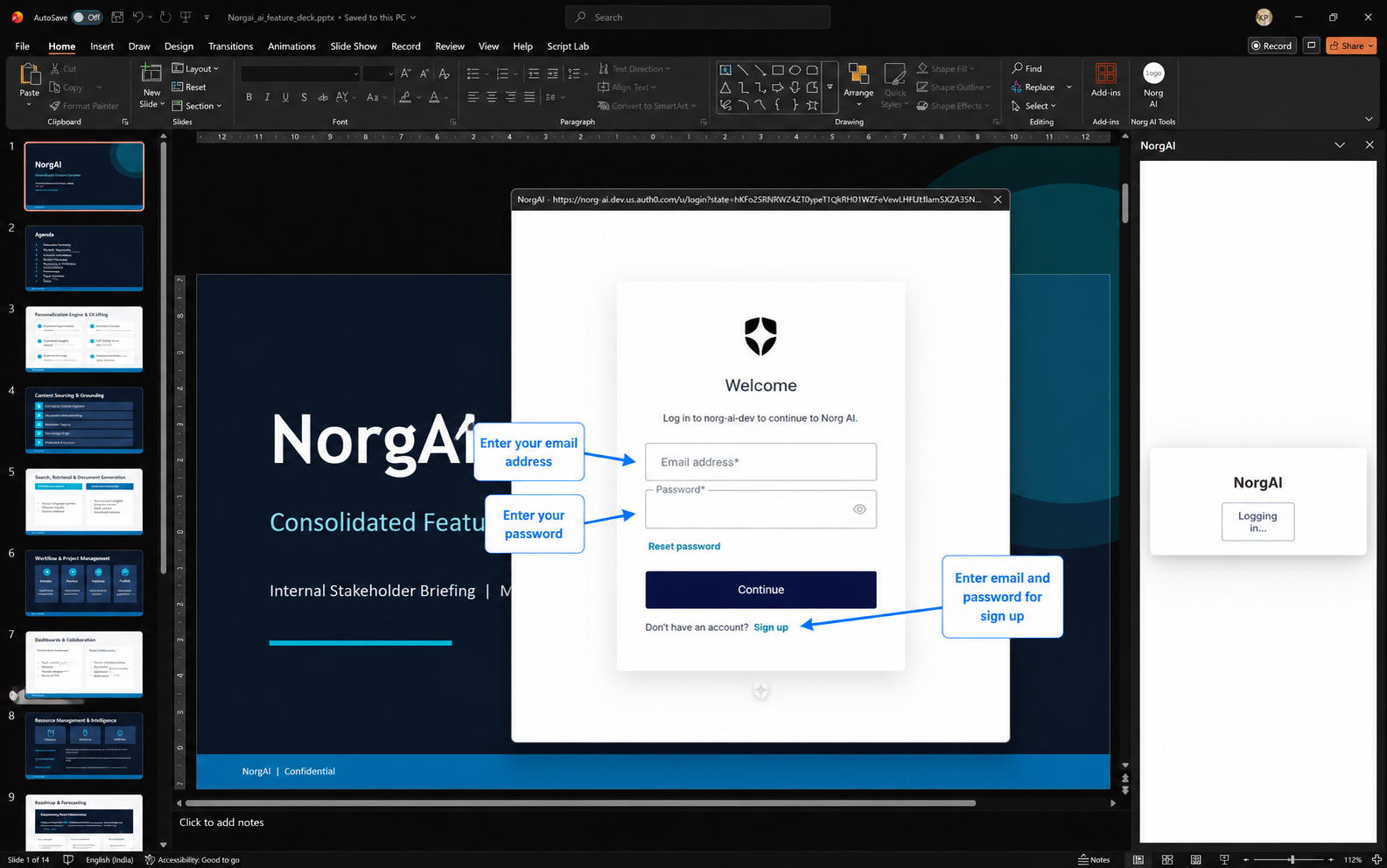
- Click Login .
- A secure sign-in dialog opens in a separate popup window.
- Enter the email and password provided by your administrator.
- If your organisation uses Single Sign-On (SSO), complete authentication on your company’s login page when prompted.
- The dialog closes automatically once you are authenticated, and the NorgAI home screen loads.
Your session persists until you log out. If the session expires, click Login to re-authenticate.
Create a Project
A project is a scoped knowledge space for one client, opportunity or engagement. Each project has its own document library and conversation history.
- Click the project dropdown at the top of the task pane.
- Click Add Project .
- Type a project name—for example, Acme Corp Q3 Proposal or Digital Transformation RFP .
- Click Create .
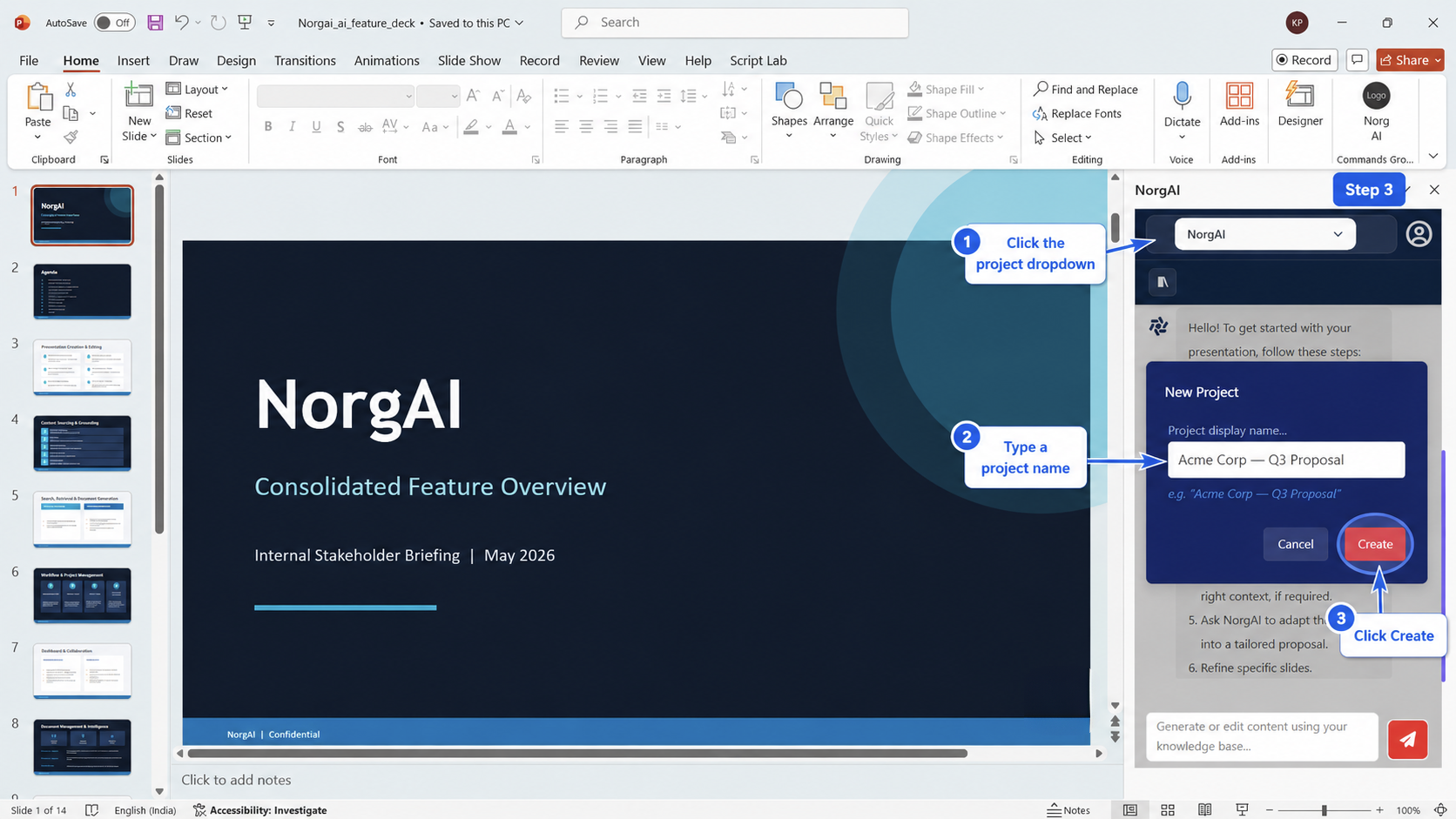
Use one project per client or opportunity. This keeps your AI context focused and your outputs accurate.
Upload Documents
With your project active, upload the reference materials NorgAI will use to generate content.
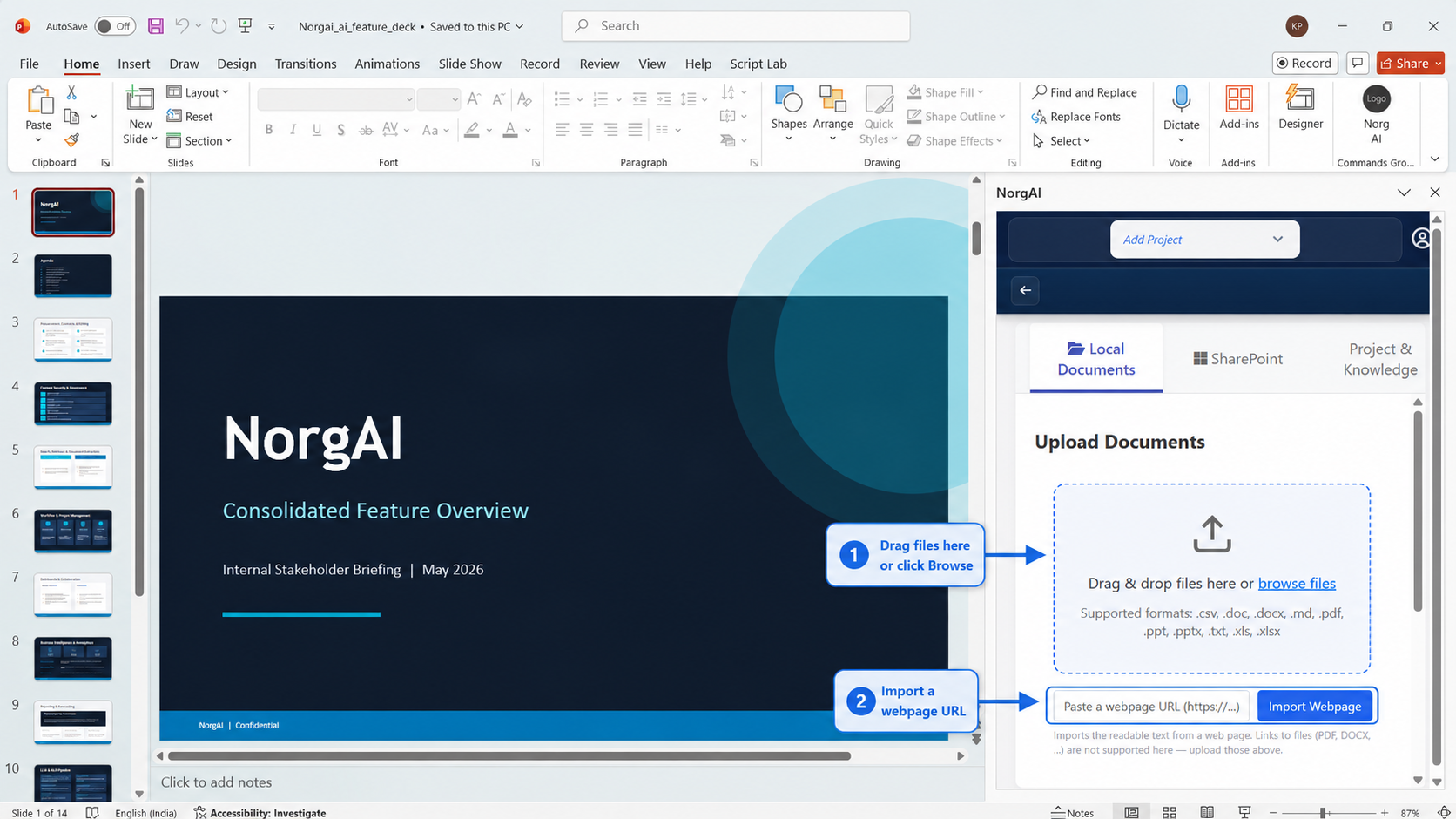
- Click the Documents icon in the toolbar (the library icon below the header).
- Drag and drop files onto the upload area, or click browse files to select them.
Supported formats: .pdf .docx .pptx .xlsx .csv .txt .md
| Status | Meaning |
|---|---|
| Uploading | File is being transferred |
| Parsing | Content is being read and extracted |
| Indexing | Content is being prepared for AI search |
| Fully Processed | File is ready for use |
| Failed | Error during processing—delete and re-upload |
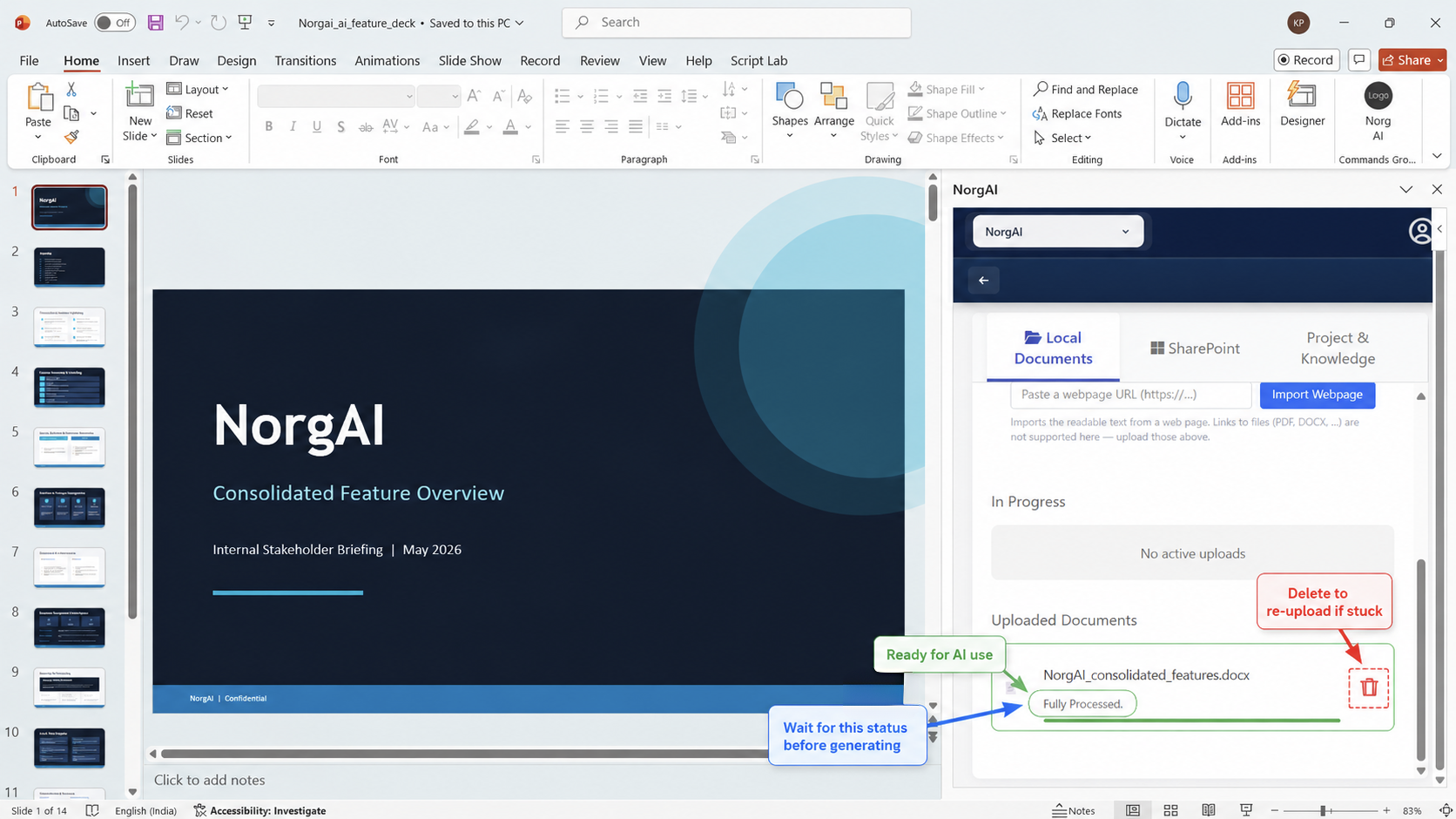
Tip: Upload the most relevant documents first—the RFP, the client brief and your strongest case studies.
Generate or Adapt a Presentation
Type a plain-language request in the chat field and press Enter .
| Goal | Example prompt |
|---|---|
| New proposal from an RFP | “Create a 10-slide executive proposal based on the uploaded RFP for a logistics CFO.” |
| Adapt an existing deck | “Adapt this deck into a proposal for a mid-market retail banking client focusing on digital payments.” |
| Refresh a slide with new data | “Update slide 6 with market sizing from the uploaded research report.” |
| Ask a question | “What are the mandatory compliance requirements in this RFP?” |
The Plan Review Workflow
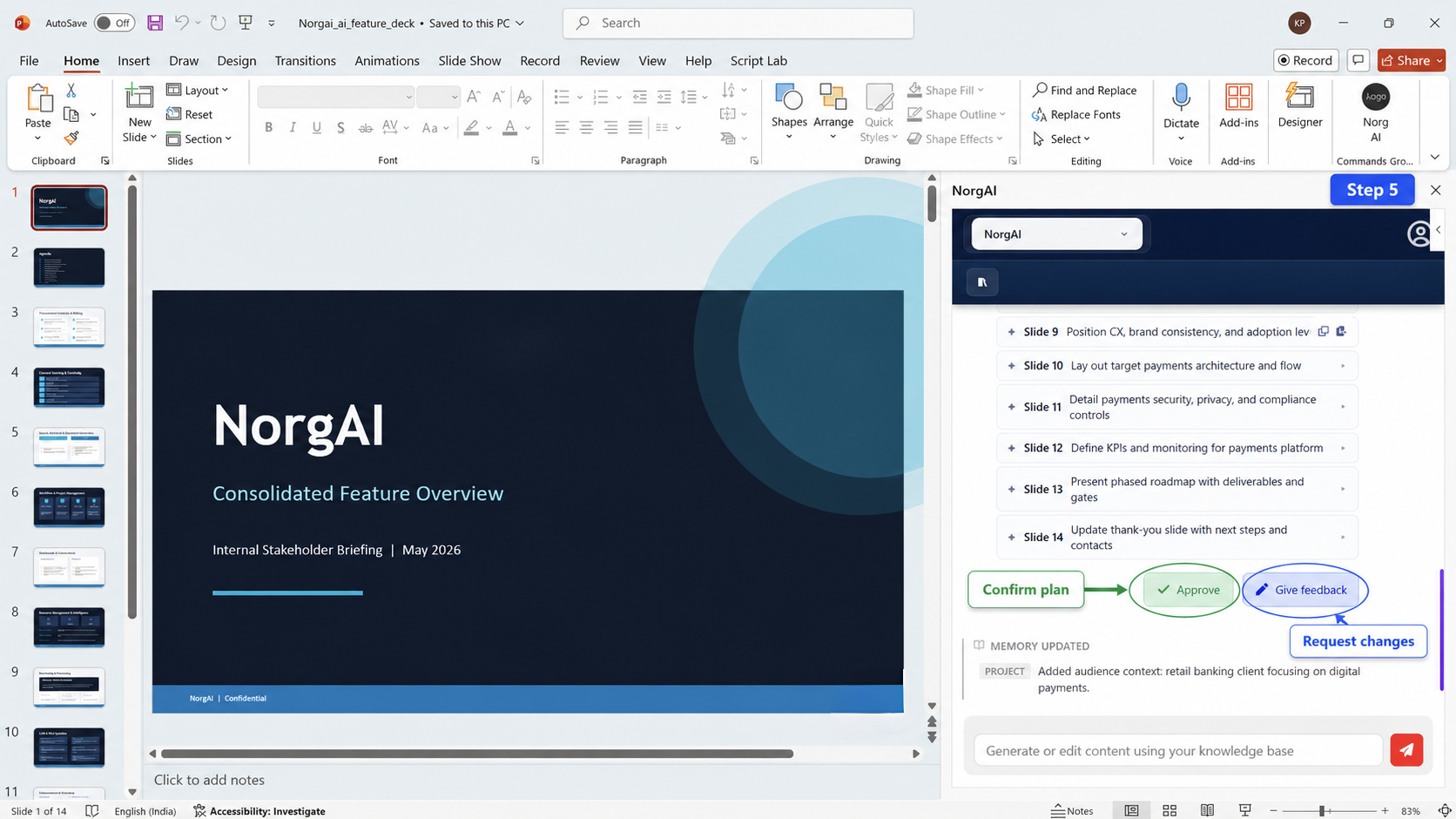
Before NorgAI makes any changes to your presentation, it proposes a slide-by-slide plan for your review.
| Action | Meaning |
|---|---|
| NEW | A new slide will be created |
| MODIFY | An existing slide will be updated |
| KEEP | Slide is unchanged |
| REMOVE | Slide will be deleted |
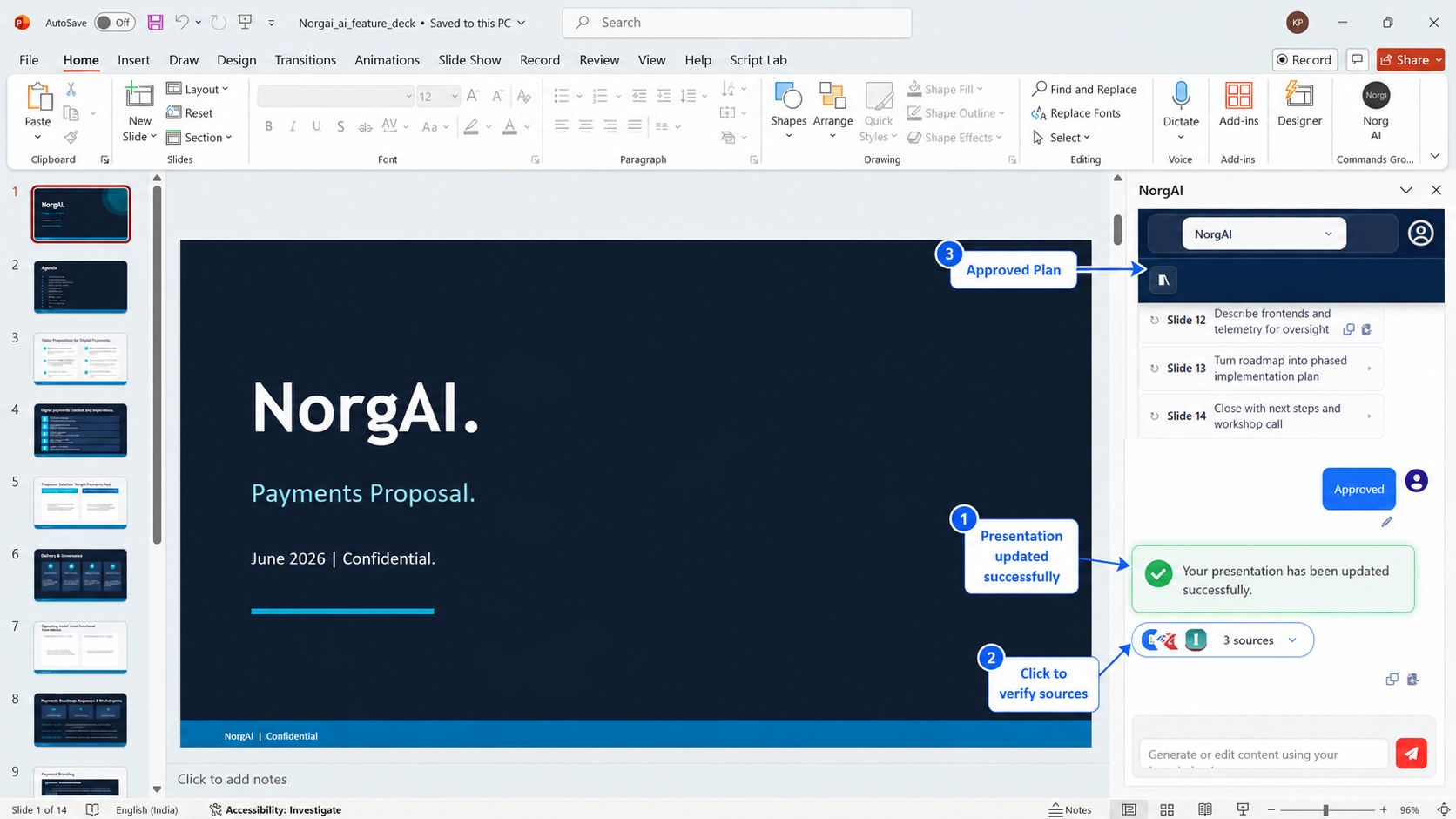
- Click Approve to apply the plan to your presentation.
- Click Give feedback to request changes—describe what you want adjusted and NorgAI revises the plan. Repeat until satisfied.
Modify Individual Slides
To update a specific slide without changing the rest of the deck:
- Navigate to the target slide in PowerPoint.
- Type your instruction in the chat—for example, “Update slide 4 with the latest competitive data from the uploaded report.”
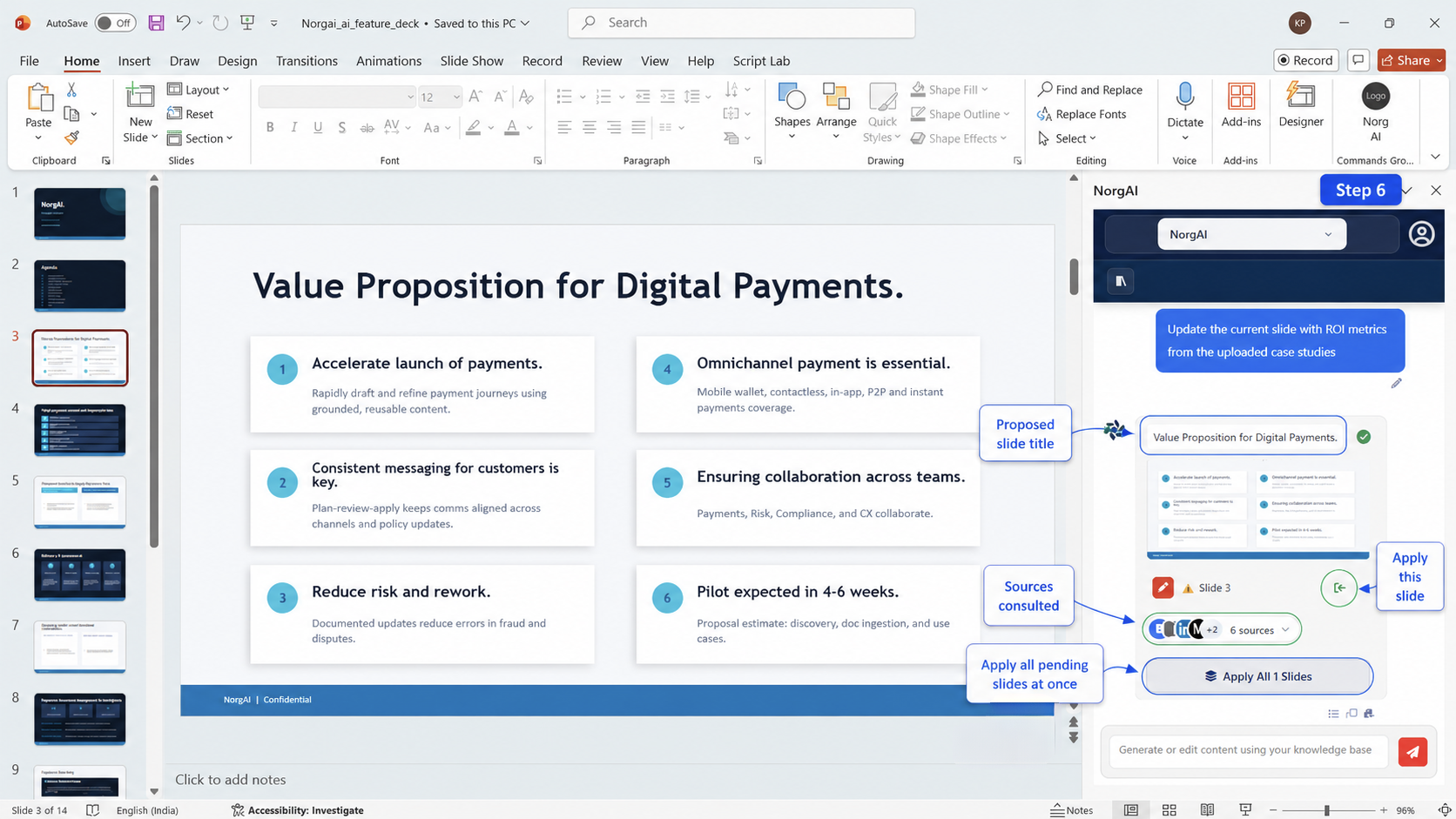
- NorgAI proposes an updated slide as a slide card in the chat.
- Click Apply on the card to push the change to your deck, or Apply All to apply all pending changes at once.
Use Ctrl+Z in PowerPoint to undo any applied slide.
Source Tracing
Every AI response includes a Sources panel showing which documents and web pages informed the output.
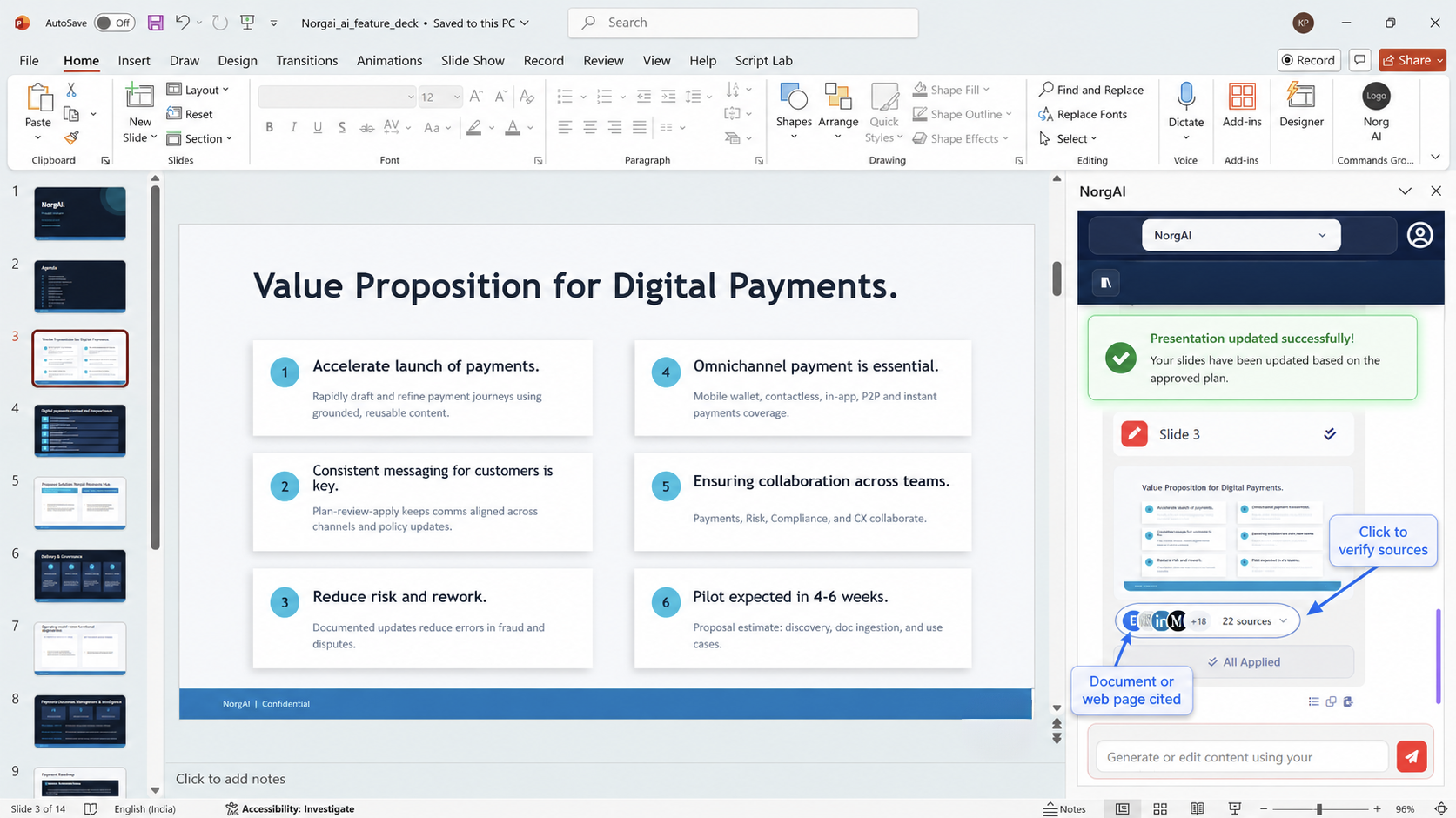
- Sources Used —documents directly cited in the output.
- Also Consulted —additional sources retrieved but not directly cited.
- Click any document source to read the exact passage used. Click any web source to open it in your browser.
Key Features
| Feature | Description |
|---|---|
| Generate presentation | Create a full deck from uploaded documents |
| Adapt existing deck | Tailor any presentation to a new client or audience |
| Plan Review | Approve or refine a proposed slide plan before changes apply |
| Modify individual slides | Update specific slides via natural language |
| Document Q&A | Ask questions about uploaded documents and get cited answers |
| Source attribution | Every output is traceable to its source document or web page |
| Project knowledge spaces | Isolated document library and context per project |
| Team collaboration | Share projects with team members |
| URL import | Import text from any public webpage as a document source |
Support
| Product website | inscripta.ai/products/norgai |
| Full User Guide | inscripta.ai/products/norgai/user-guide |
| Support & contact | inscripta.ai/#contact |
| Support email | sales@inscripta.ai |
| Privacy policy | inscripta.ai/legal/norgai-privacy |
| Terms of use | inscripta.ai/legal/norgai-terms |
Ready to go deeper? The Full User Guide covers every feature—projects, adaptation, the plan workflow, knowledge & memory, collaboration, troubleshooting and more.
Read the Full User GuideNorgAI is developed by Inscripta AI Technologies Private Limited. For enterprise licensing and administrator setup, contact your account representative.