
Why Teams Choose NorgAI
Built specifically for Professional Services workflows—not a generic AI chatbot
Native Plugins
Purpose-built plugins for MS PowerPoint, Word, Google Slides/Docs, and corporate templates.
Intelligent Knowledge Reuse
Learns from past proposals, SOWs, and delivery docs without requiring manual "master" document maintenance. Your institutional knowledge, automatically leveraged.
Seamless Workflow
No tool-switching or copy-paste—works directly within the tools your team already uses for maximum productivity.
On-Prem Deployment
On-prem deployment option ensures your sensitive client data, proposals, and IP remain completely private and secure within your infrastructure.
How NorgAI Stacks Up
Tested head-to-head against popular AI tools on the workflows that matter most for PS teams
|
★ Best
NorgAI
|
Claude Add-in
|
ChatGPT
|
Gamma
|
Gemini
|
Replit
|
|
|---|---|---|---|---|---|---|
|
Corporate Branding
|
Full fidelity | Loses color themes | Broken formatting | No master deck support | No master deck support | Own theme applied |
|
Content Quality & Coverage
|
Full topic coverage | Accurate but partial | Vague content | No topic guidance | 1 slide only | Accurate but partial |
|
Speed
|
<5 min · 3 versions | >5 min · 10 slides | ~3 min · broken output | ~10 min · 10 slides | ~1 min/slide · manual | ~10 min · 15 slides |
|
Workflow Integration
|
Office · Google · Web | PPT add-in only | No integration | Web only · PPTX export | Native Google Slides | No integration |
|
Editing Capabilities
|
Multi-slide editing | One element at a time | Download required | Web-based only | No editing support | Chat-based editing |
|
Review & Verification
|
Full HIL workflow | Preview on open slides | Download to view | Web preview | Preview before insert | HTML preview only |
Your Central Command Center
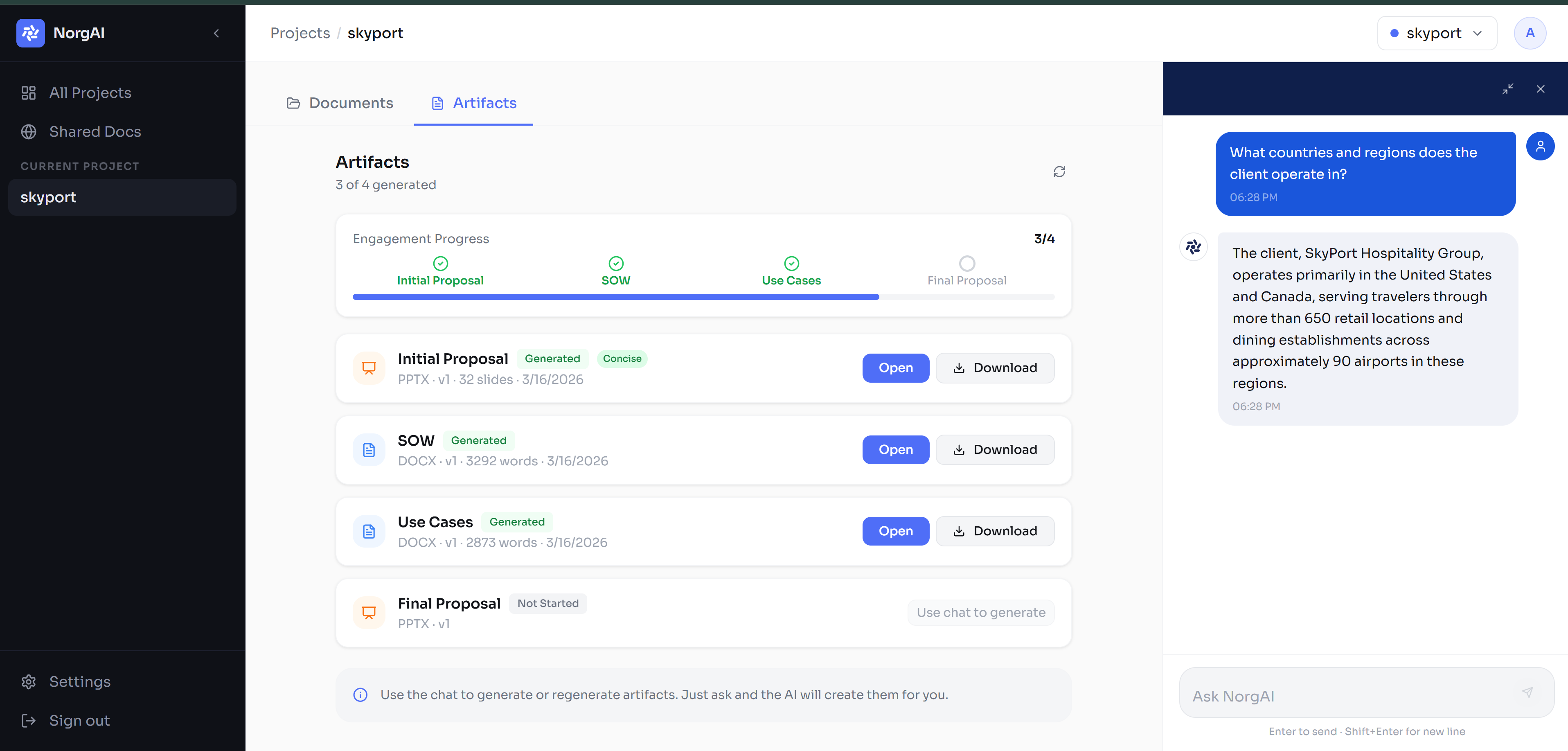
Project Hub
Manage all projects, stages and artifacts in one place
Central Artifact Generation
Generate any document from the lifecycle
Integrated AI Chat
Full project context in every single conversation
Persistent Memory
Context flows from first RFP to final delivery automatically
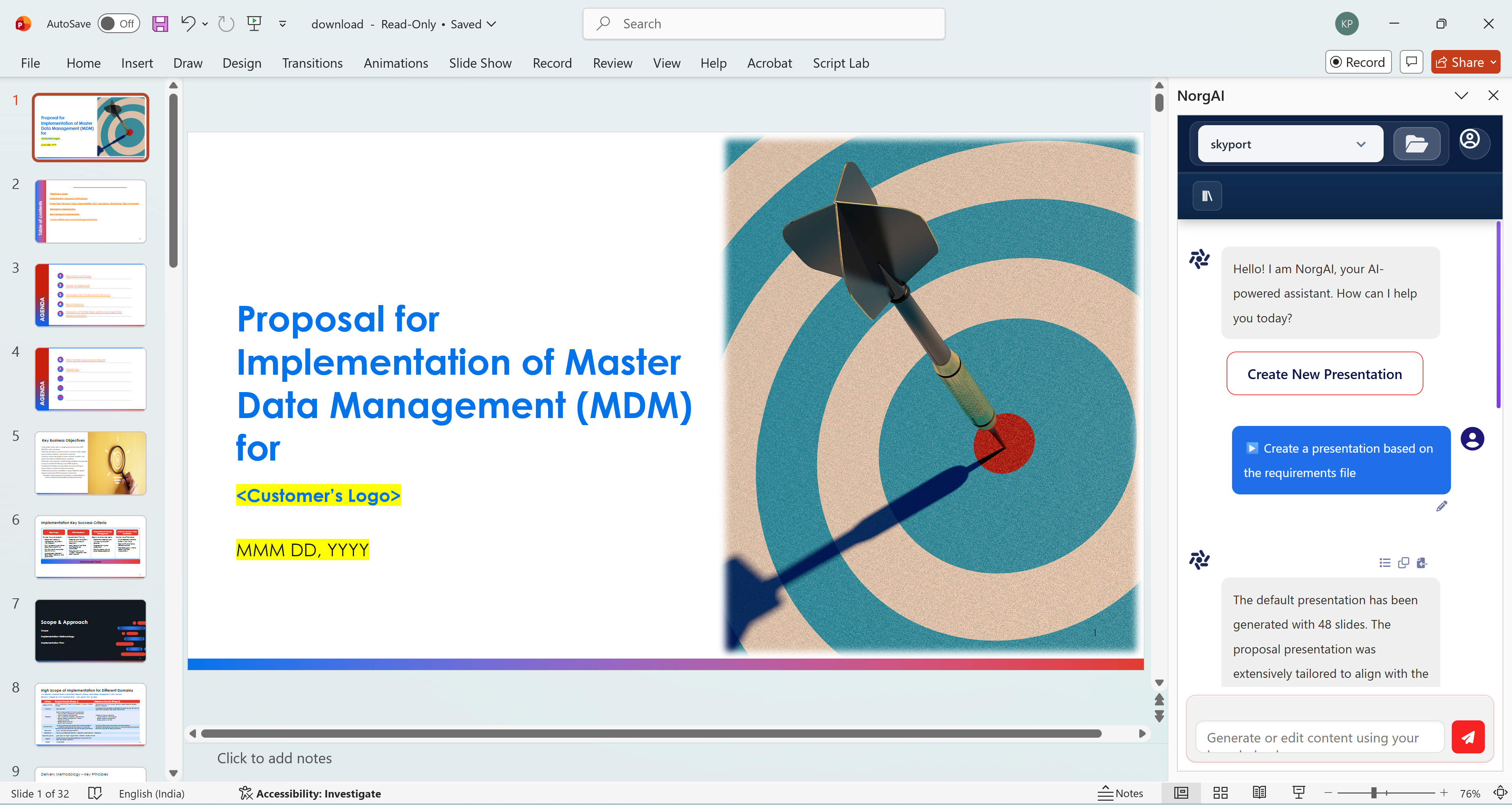
Built into the tools your team already uses
Purpose-built add-ins for Microsoft Word and PowerPoint — no switching tabs, no copy-paste, no friction.
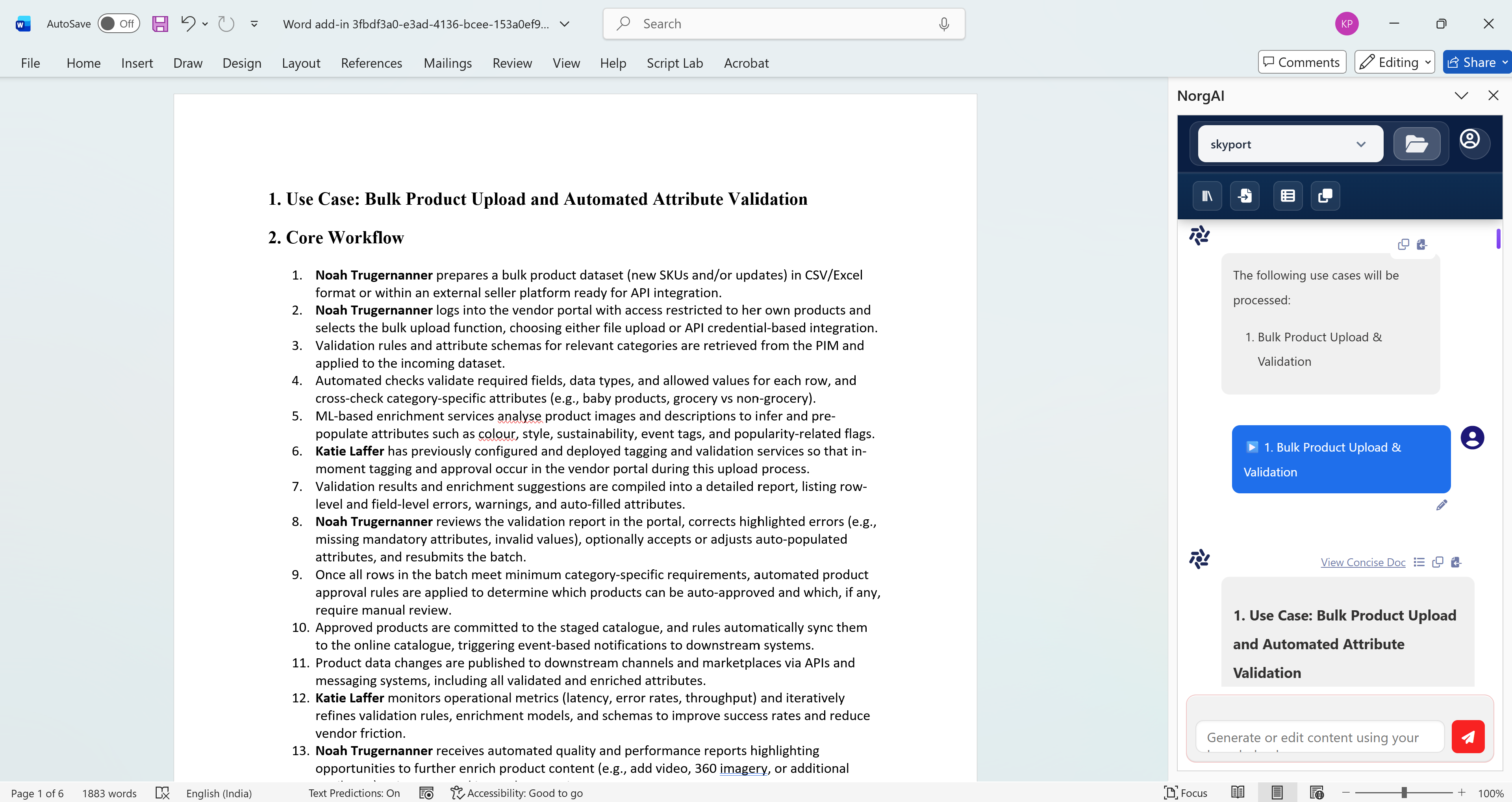
- Ask questions about your documents
- Generate structured business documents
- Create Statements of Work automatically
- Modify and refine documents using AI
- Generate full presentations automatically
- Rewrite and refine slides instantly
- Search and retrieve slides from your knowledge base
- AI understands slide context and visuals
See NorgAI in Action
How NorgAI Helps PS Teams
Transform your Professional Services workflow with AI-powered automation
Convert RFPs, sales notes, and clarifications into structured proposal content and use case documents
Ensure consistent structure and language across all proposals and deliverables
Preserve context across RFP → proposal → delivery artifacts seamlessly
Scale PS output without scaling headcount proportionally
Easier maintenance and updates of master reference material instead of fragmented content
Why NorgAI Outperforms Generic LLMs
Built specifically for Professional Services—not adapted from general-purpose AI
Outputs grounded in client inputs
Prone to hallucinations; not reliably grounded in complex project inputs
Enforces PS templates and standards; every section linked to source inputs
Free-form outputs; no enforced structure or source traceability
Designed around Professional Services workflows and delivery best practices
General-purpose models; not optimized for PS lifecycle workflows
Identifies missing, inconsistent, or misaligned requirements across documents
Cannot systematically detect cross-document gaps or inconsistencies
Works directly in PowerPoint, Word, and corporate templates; no copy-paste
Requires manual transfer between tools; workflow fragmentation
On-prem deployment, auditability, and human-in-the-loop control
Limited governance controls and enterprise deployment flexibility